XVX MU68 FujiWave VIA Wireless Wooden Mechanical Keyboard
Highlight Features
- Walnut Wood + Metal + Leather Design
A unique blend of natural textures and handcrafted details - Multi-Layer Sound Dampeners for Creamy Typing Feel
Soft keystrokes with a refined acoustic profile - Custom Coral Sea Switches
Smooth 45gf actuation for comfortable daily typing - Tri-Mode Wireless + VIA Support
Flexible connectivity with full customization
- Model: XVX MU68 FujiWave
- Total Keys: 68 keys
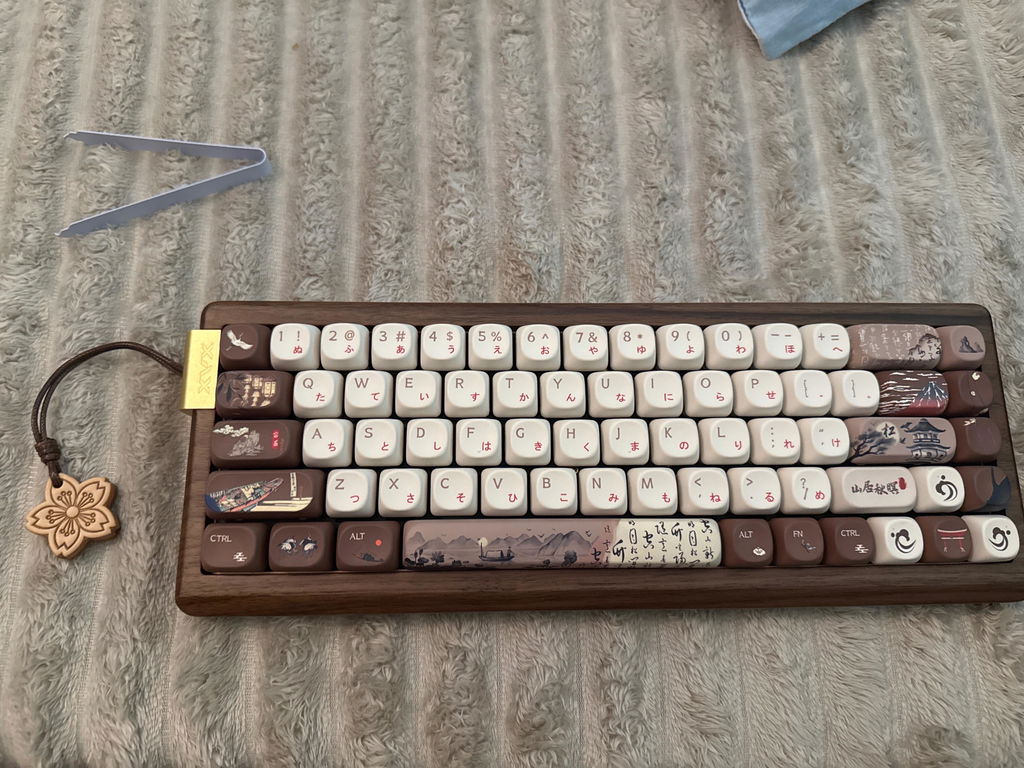
- Keyboard Layout: ANSI US 65%
- Case Material: Walnut wood
- Keycap Profile: MOA profile
- Keycap Material: PBT
- Keycap Printing Method: Dye-sublimation
- Switch: Pre-lubed XVX Coral Sea linear switch
- Hot-Swap: Support
- Backlight LEDs: South-facing
- Mounting Style: Tray mounted
- Connectivity: Wired / Bluetooth / 2.4Ghz Wireless
- Interface: USB Type-C
- Battery Capacity: 4000 mAh
- Operating Systems: Windows / macOS / Linux
- VIA Web-Based Driver Support: Download VIA Configuration File
- Keyboard Net Weight: 865±10 gram
- Dimensions: 326*122*31 (north) / 23mm (south)
- Model: XVX Coral Sea linear switch
- Type: Linear / Mechanical
- Housing Material: PC
- Operating Force: 45±5gf
- Pre-travel: 2.00±0.4mm
- Total Travel: 3.40±0.4mm
- Lifespan: 50, 000,000 Strokes
- Pre-Lubed: Yes
- XVX MU68 keyboard
- USB Type-A to Type-C cable
- 2.4GHz wireless dongle
- Keycap & switch 2-in-1 puller
- Extra stock switches
- User manual
[Unique Wood Character] Every piece of wood has its own natural color, grain, and pattern. As a result, variations may occur between batches, making each MU68 uniquely its own. These natural differences are not considered defects or covered by after-sales service.
-
Worldwide shipping
-
1-Year Warranty
-
Secure checkout
-
Customer Support


Tri-Mode Connectivity
With Bluetooth, 2.4GHz wireless, and USB-C wired modes, the MU68 Walnut effortlessly adapts to your daily workflow.
Connect seamlessly with your PC, tablet, or smartphone and switch between devices with ease whether you’re working, creating, or relaxing.
Harmony Through Contrast
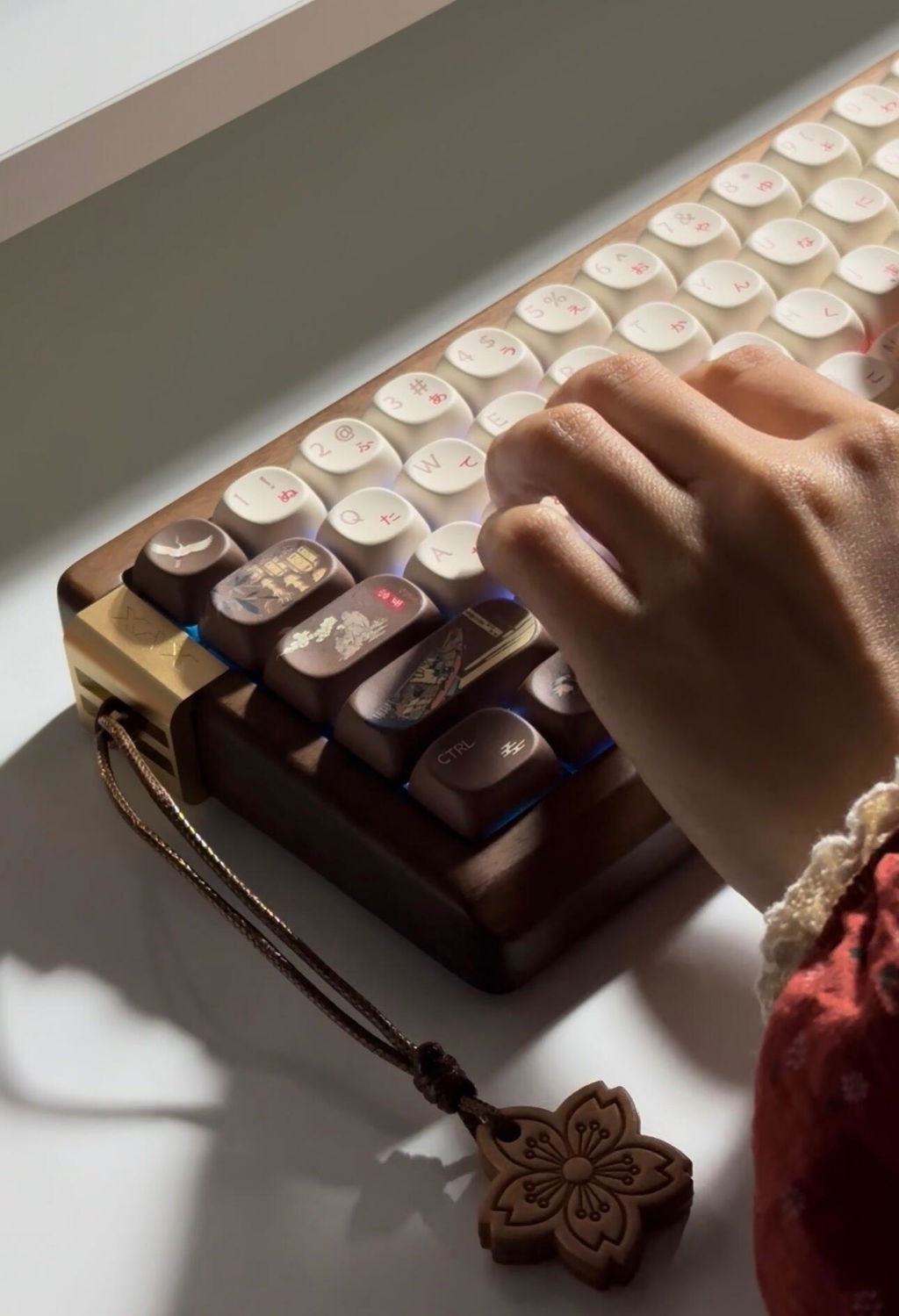
True balance does not always come from symmetry. Inspired by the Wabi-Sabi philosophy, the MU68 features a unique blend of natural textures and handcrafted details. The walnut wood, anodized metal accents, and handcrafted leather pendant come together in an intentionally unbalanced composition, creating harmony through differences in texture, color, and character.

Premium Wood Case
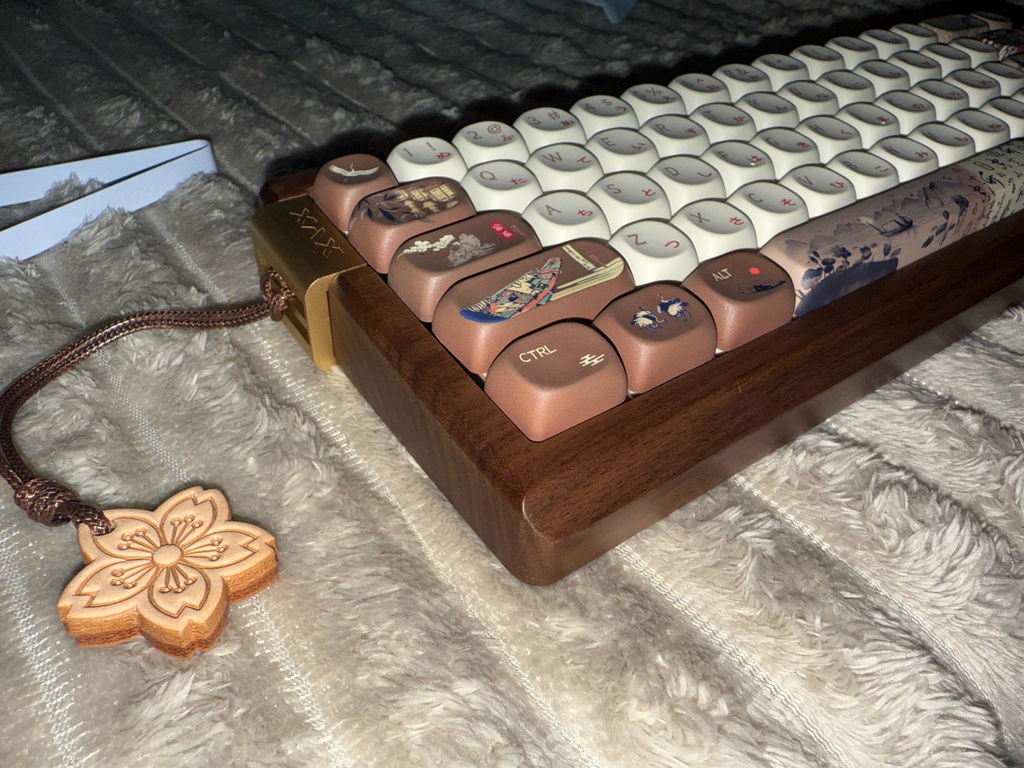
Crafted from a single block of natural walnut wood, the case features unique grain patterns that make every setup stand out.

Sakura Leather Pendant
A handcrafted leather pendant featuring an engraved cherry blossom design adds a subtle Japanese-inspired detail to the MU68.

Anodized Metal Accents
A contrast between natural warmth and modern craftsmanship. The metal USB-C port stands up to everyday wear and reduces connector wobble.

Soft and Creamy Typing Experience
Built with a tray-mounted structure and multiple layers of acoustic dampening materials, this keyboard delivers a softer typing feel with a deeper, more refined sound profile.

Premium PBT Keycap
Both FujiWave and Walnut editions feature thick PBT MOA profile keycaps with five-sided dye-sublimation, delivering vivid, fade-resistant graphics and a smooth feel.

Custom Coral Sea Switch
Equipped with pre-lubed XVX Coral Sea POM switches, the MU68 Walnut delivers a smooth and balanced typing experience.
Made with durable POM material, these linear switches feature a comfortable 45gf actuation force, which is ideal for everyday typing and extended sessions.

Personalized Through VIA Customization
With VIA web-based customization support, you can easily personalize your keyboard without installing additional software.
Remap keys, create custom layers, and fine-tune your layout to match your workflow.

Vibrant RGB Lighting
Featuring south-facing RGB lighting, the MU68 delivers enhanced keycap illumination and broad compatibility.
Customize your setup with dynamic lighting effects while maintaining the keyboard’s natural wooden character.

Compact Yet Functional
The 65% layout delivers an ideal balance between a clean, space-saving design and everyday practicality. By keeping essential keys within easy reach while freeing up more space for your mouse and creative workflow.
See What Reviewers Are Saying
Check how keyboard enthusiasts experience our products.

Snimtas
Tech Reviewer, Writer
" The solid walnut case gives it a very distinctive look, while the gold-colored aluminum accent adds just enough contrast to make the design feel even more elegant. But the MU68 is not relying on looks alone. Combine that distinctive design with smooth switches, excellent PBT keycaps, bright and well-executed backlighting, and seamless VIA customization, and you get a keyboard that is not only beautiful but also highly practical for everyday use. " - HLPlanet.com
Inspired by Nature. Made for You
Real walnut wood, timeless texture, and a typing experience that feels as natural as it looks.


See It in Action
MU68 FAQs
Why can't I use wireless mode? Where is the wireless toggle switch?
Please turn on the power switch before pairing the keyboard in 2.4G or Bluetooth mode.The power switch is located underneath the Caps Lock key. You can use the 2-in-1 keycap and switch puller included in the accessory box to remove the Caps Lock keycap

Why can't I use wired mode after connecting the cable?
If the keyboard was previously connected in wireless mode, it may not automatically switch to wired mode after connecting the cable. Please press FN+T to switch to wired mode.

How do I use the VIA?
VIA is a powerful keyboard customization tool that allows you to configure your keyboard directly through a web browser without installing traditional software. You can think of it as a web-based driver for your keyboard.
Before using VIA, in addition to connecting your keyboard, you'll also need to load the corresponding JSON file for your keyboard model. You can find the required JSON file in our downloads or on the product page.
Once the JSON file has been loaded successfully, you'll be able to customize key mappings, create macros, adjust lighting settings, and configure many other keyboard functions through VIA.For a more detailed guide on using VIA, please refer to our VIA tutorial blog.
Is the MU68 Walnut compatible with Mac and Windows?
Yes. The MU68 Walnut works with both Windows and Mac devices. Its multi-device wireless connectivity makes it easy to integrate into different setups, from professional workstations to home creative spaces.
Why choose a wooden keyboard?
While aluminum keyboards offer a modern premium look and plastic keyboards focus on affordability and practicality, wooden mechanical keyboards bring natural aesthetics, warm textures, and a unique acoustic experience to your desk.
Read this guide to know more about what a wooden mechanical keyboard is, the benefits of wooden keyboard cases, how wood compares with aluminum and plastic, and whether a wooden keyboard is the right choice for your setup.